I purchased the new Steam Controller with my own money. Valve did not sponsor this review or provide the controller.
Controller reserved on May 8, 2026. Purchased July 22, 2026. Delivered July 25, 2026. Total was $108.65 after tax. It was $99 before tax.
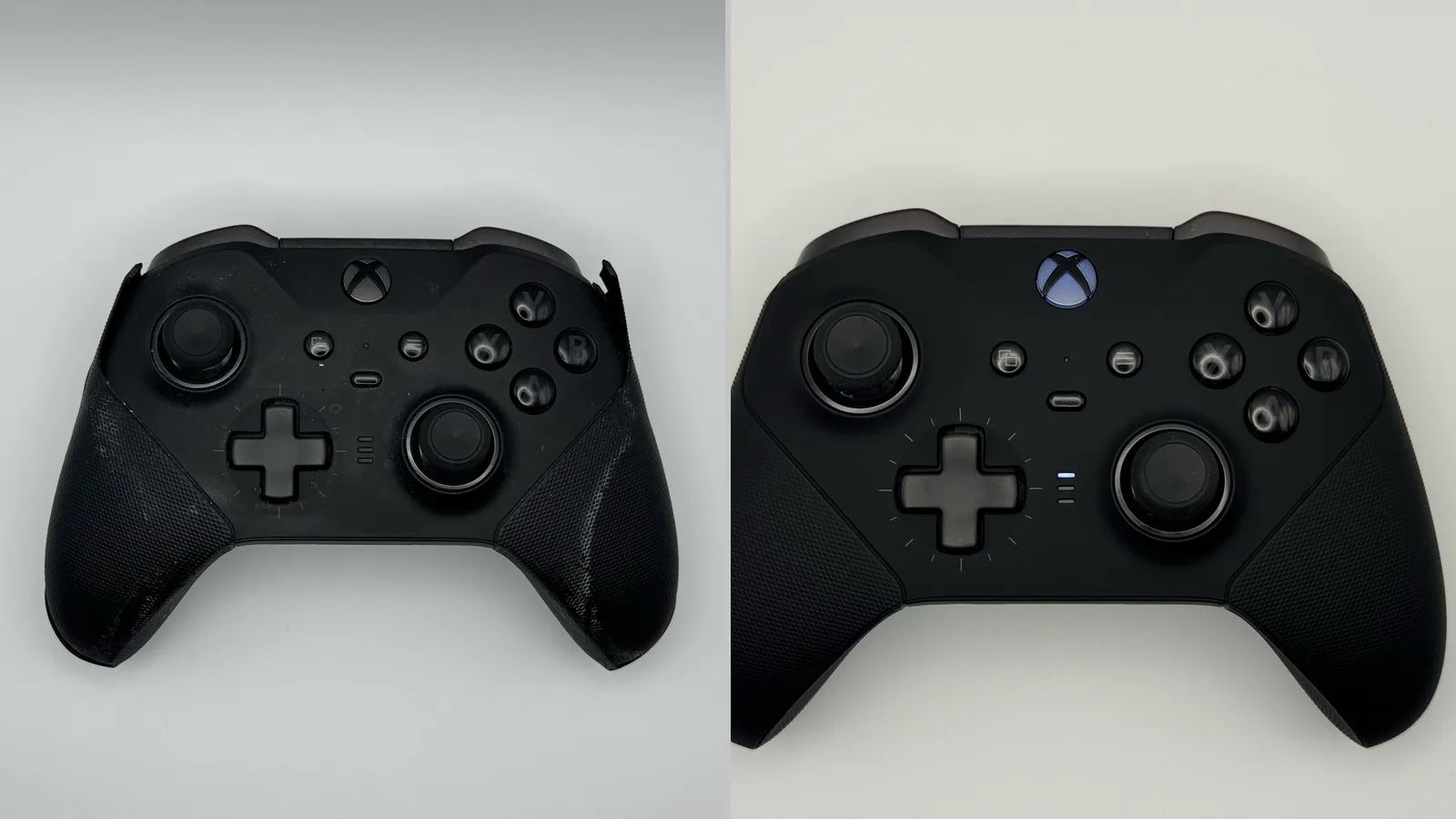
The main reason I wanted to buy the controller was that my Xbox Elite Wireless Controller Series 2 was showing its age. Its rubberized grips had started to peel away from the hard plastic underneath, which made me consider trying something different instead of buying another Xbox controller.
One big thing I noticed with the Steam Controller was the touchpads. I’ve been playing the System Shock remake, so I was intrigued to see if the Steam Controller would make it easier to navigate the menus in that game.
Quick Verdict
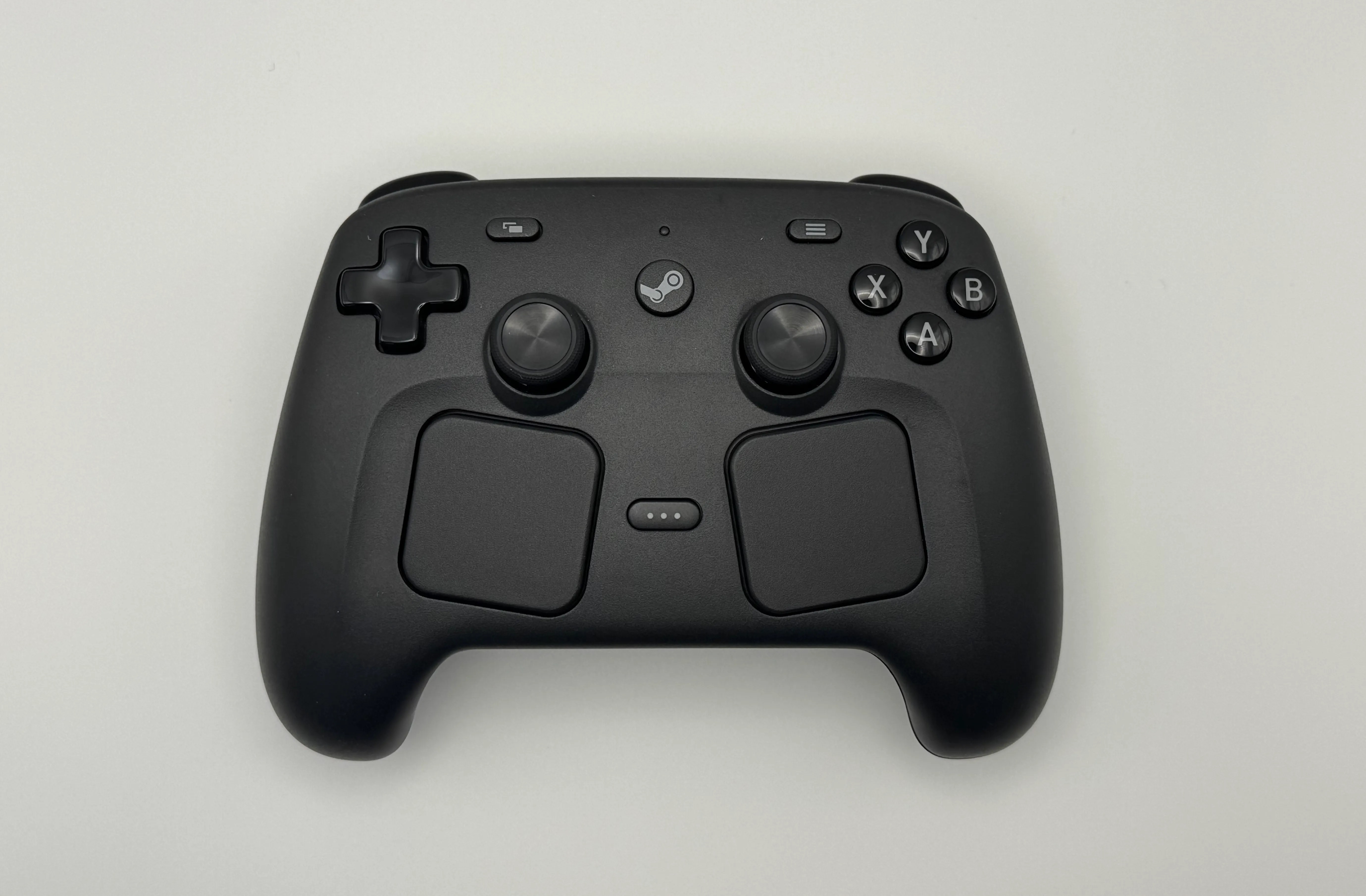
Straight out of the box, the Steam Controller felt good in my hands. My fingers naturally rested in the correct positions. While the controller is entirely plastic, I think that works in its favor. My Xbox Elite Wireless Controller Series 2’s rubberized grips deteriorated over time, so I am wary of designs that feel premium but introduce more materials that can wear down.
For Windows PC gaming through Steam, the Steam Controller is a worthwhile alternative to a conventional controller if you want to customize controls for individual games. The sticks feel precise, and Steam Input made System Shock substantially easier after I mapped inventory controls to the rear buttons. It also has quirks: the rumble feels less engaging than the Xbox Elite Wireless Controller Series 2’s, the right stick sits close to the X button, and Battlefield 6 has a known compatibility issue. It complements my Xbox controllers rather than replacing them for every game.
One other thing to note about System Shock is that even though the touch pads initially seemed like the better interface for navigating menus, I realized the back buttons are better and that’s something I’ve always had on my Elite controller. However, I was never motivated to look into controller mappings with the Elite like I was with the Steam Controller.
PC Gaming Setup, Design, and Comfort
I tested the controller on my Windows gaming PC with the included puck and USB cable, then compared it with my long-term experience using an Xbox Wireless Controller and Xbox Elite Wireless Controller Series 2. This is a gaming-focused review, not a battery-life, Bluetooth, or non-Steam compatibility test.
My first impression of the box was good! What immediately stood out to me was the complete lack of extraneous plastic wrapping. Similar to Apple’s approach, the Steam Controller packaging was mostly paper and cardboard. However, there was absolutely no shrink wrap.
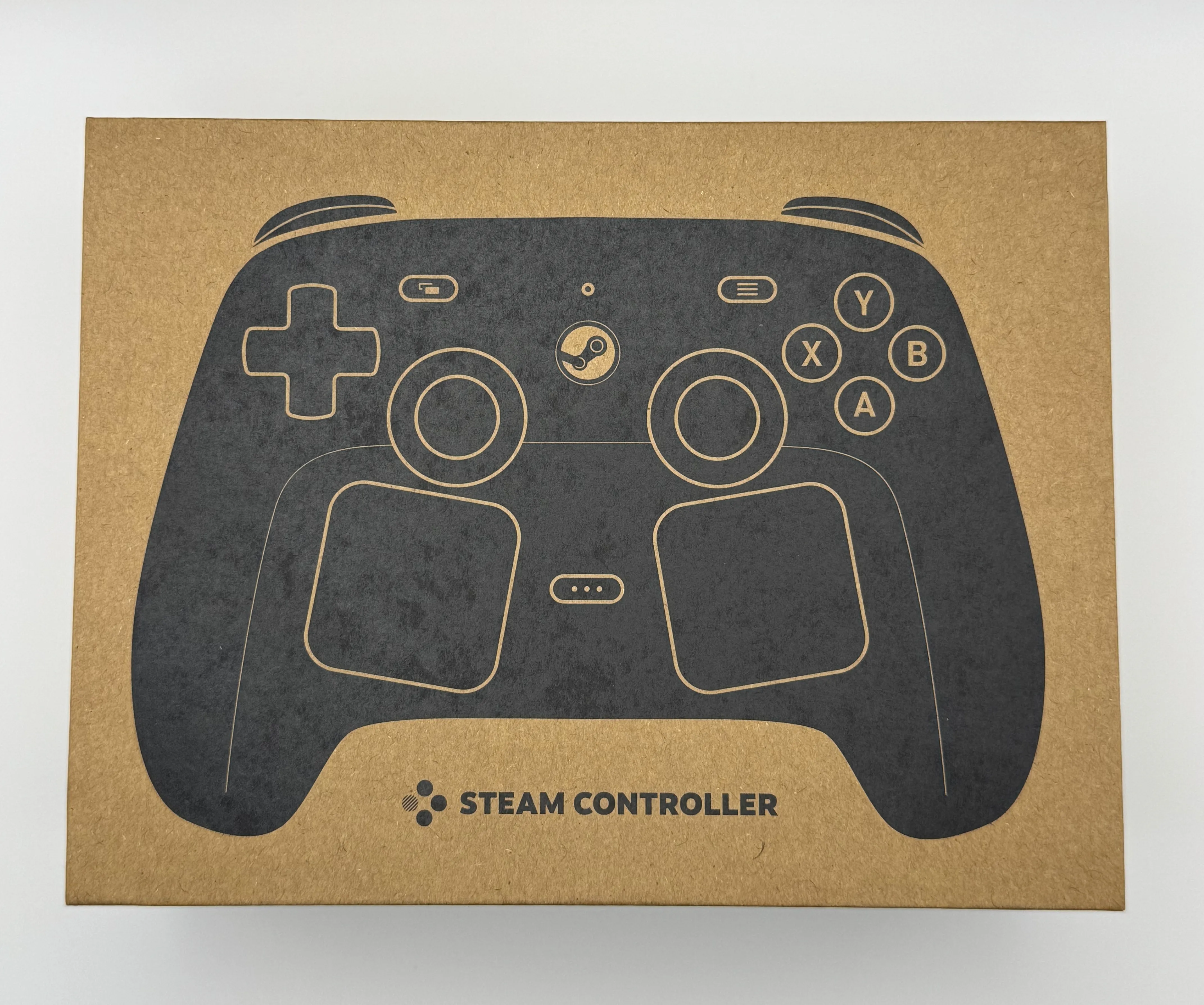
After removing a small cardboard strip at the front of the box, I was able to see the contents. Valve went with a clamshell design where the top of the box hinges upward and back to reveal the controller and puck on the bottom half of the box. On the inside of the lid are instructions showing how to get things set up. Behind the instructions was the USB cable.
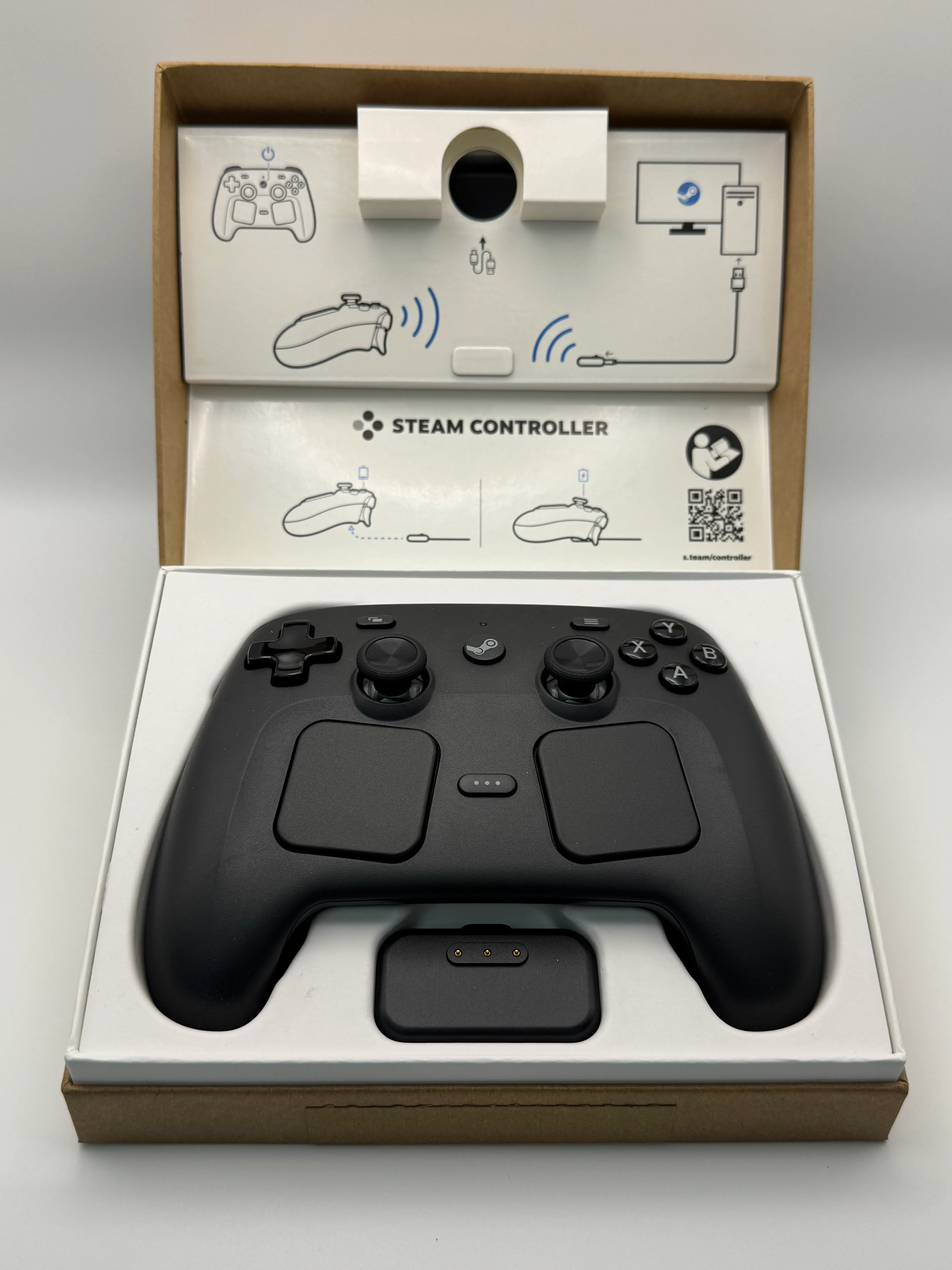
With all the items from the box, I was impressed by the simplicity. Valve’s decision to not send unnecessary items was a nice touch.
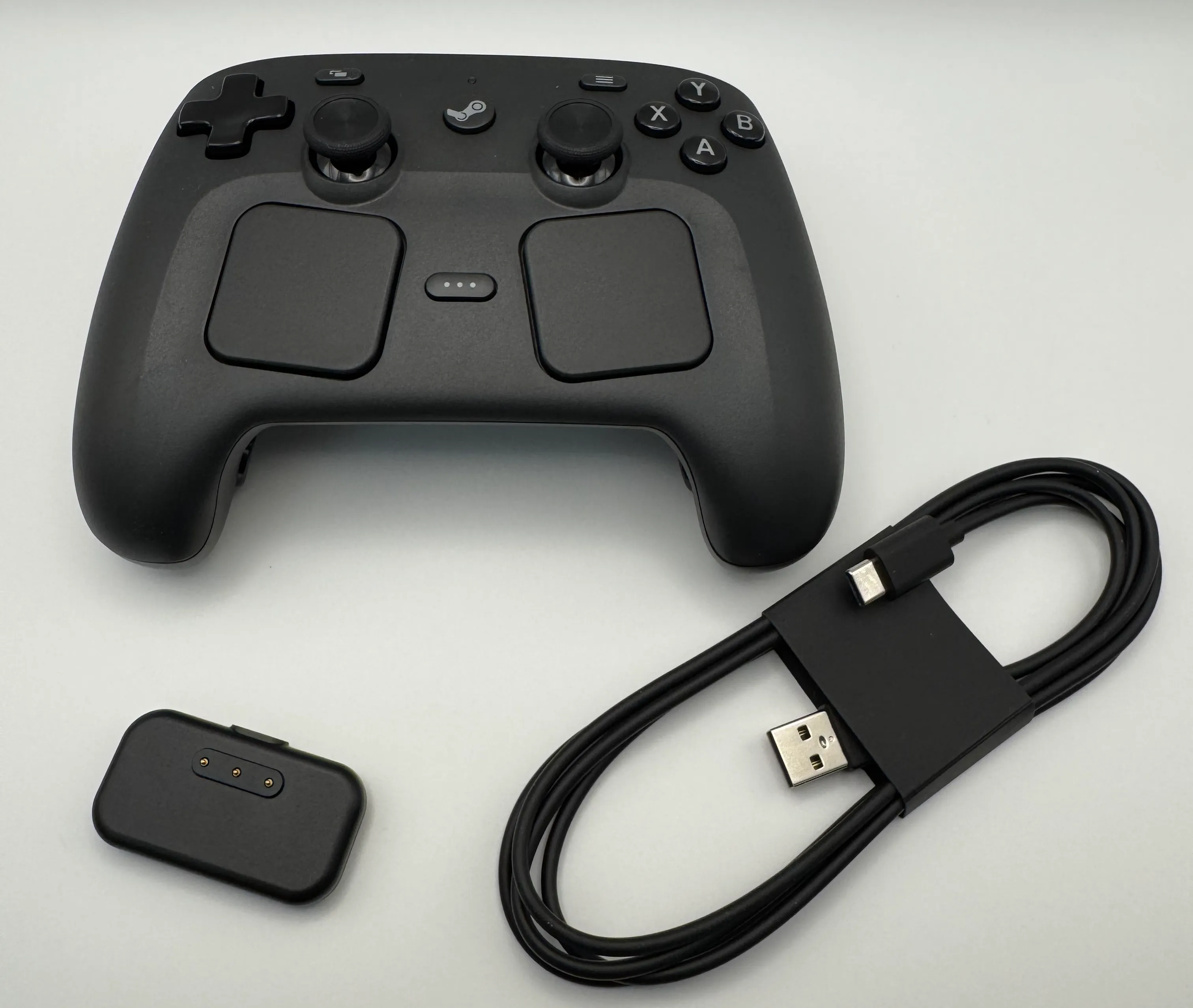
As for the controller itself, I was immediately impressed by how ergonomic it was. As someone with larger hands, the grip felt natural and secure. The all-plastic build also avoids the rubberized material that stained and peeled on my Xbox Elite Wireless Controller Series 2.
One of the main selling points of the Steam Controller is its magnetic joysticks. Valve markets the TMR technology as an improvement to reliability, responsiveness, and feel. On first impression, the sticks felt precise even before I connected the controller. I initially attributed the difference in physical resistance to the Steam Controller, but the Xbox Elite Wireless Controller Series 2 has adjustable stick tension. Admittedly, I was unclear on the ability to customize stick tension on my Elite controller. After some adjustment, I found the max tension setting closest to the Steam Controller’s TMR feel, but with just a little bit of slack.
- Plugged the puck in and turned the controller on.
- Got a message saying to plug in the Steam Controller directly via USB for an update.
- After plugging in via USB, the update started.
- After the update was done, I could plug the USB cable back into the puck.
- The puck acts as both a wireless transmitter and a charger.
- A pop-up then said to press the Steam button.
- Thus began a short, interactive tutorial for the controller.
After the tutorial, Steam entered Big Picture mode, a fullscreen version of Steam designed to be used with a controller. I had not even heard of Big Picture before getting the Steam Controller. Discovering that I could browse my library, launch games, and navigate Steam without reaching for a mouse made the controller feel more integrated with my PC setup than I expected.
My Xbox Elite Series 2 can be used with Steam, but I had never configured it to control Steam itself. The Steam Controller introduced me to that controller-first workflow. After seeing what was possible, I tried turning on my Elite Series 2 controller and found it could also control Big Picture mode. This was a pleasant surprise!
All of that was well and good, but once I started up System Shock I noticed weird audio and video issues. Going into the Steam app settings, I saw I needed to install an update. After I did that, I saw a message I needed to install a firmware update. This was odd and kind of threw me out of the smooth experience I had had up until that point.
Once everything was updated, my audio started working normally again and I was able to start playing System Shock.
After shutting down the PC and coming back the next day, I noticed the audio issues came back the next time I booted Steam. I had to restart Steam for them to go away. However, this did not return in subsequent sessions; it seems like it was a software issue specific to my system.
Gaming and Steam Input
I used the default configuration in several games, then made targeted changes when a game needed them. The results below are personal gameplay impressions rather than lab measurements.
| Game | Genre | Configuration | What worked | What did not |
|---|---|---|---|---|
| skate. | Sports | Default | The sticks felt responsive and precise. | The right stick is very close to the X button. I occasionally pressed it by mistake while moving the stick; this was partly muscle memory from my Xbox controllers. |
| Battlefield 6 | FPS | Default | Nothing | After updating BF6, my first time playing with the Steam Controller had a ton of problems. The game acted as though I was shooting immediately after loading into a match. This is a known issue. |
| Cyberpunk 2077 | Action RPG | Default | The left touchpad intuitively worked as the "D" pad. | N/A |
| Forza Horizon 5 | Racing | Default | The sticks are highly accurate for steering and camera movement. | The rumble doesn't give very good feedback compared to the Xbox Elite. I feel less engaged. |
| Forza Horizon 5 | Racing | Custom | N/A | Setting the gyro to control joystick deflection (steering) was interesting, but not a good way to play the game with any level of seriousness. |
| Halo Infinite | FPS | Default | The sticks felt accurate, and I found the game enjoyable to play. | N/A |
| System Shock | FPS | Default | Aiming and menu navigation is easy with the joysticks. | Menu cycling was difficult. As a game originally designed for keyboard and mouse, System Shock doesn't have the most intuitive controller mapping. |
| System Shock | FPS | Custom | After mapping L4 and R4 to allow me to cycle through inventory (by default, this is the left and right buttons on the "D" pad), the game was much easier to play. | N/A |
| Doom: The Dark Ages | FPS | Default | The rumble was well suited for this game. I appreciated the feedback it provided during heavy action sequences. The TMR joystick and button feel is well suited for games like this. | N/A |
Steam Controller vs Xbox Wireless and Elite Series 2 Controllers
Ratings use a 1–5 scale: 1 = poor, 3 = adequate, 5 = excellent. These are personal hands-on ratings, not lab measurements.
My early experience is that the Steam Controller complements my Xbox controllers. Steam Input customization is particularly useful for games that benefit from remapping, while the Xbox Elite Wireless Controller Series 2 gives me better rumble feedback and more familiar conventional controls.
After retesting the Xbox Elite Wireless Controller Series 2 with its thumbstick tension set to maximum, its stick resistance felt much closer to the Steam Controller’s than I initially thought. The Elite still had a small amount of slack around center that I did not notice on the Steam Controller. The Elite also has hardware customization the Steam Controller does not, including adjustable trigger stops with three travel positions. That flexibility is useful, even though I preferred the Steam Controller’s out-of-the-box stick feel.
| Category | Steam Controller | Xbox Wireless Controller | Xbox Elite Wireless Controller Series 2 |
|---|---|---|---|
| Initial setup | 5 | 3 | 3 |
| Initial comfort | 5 | 3 | 4 |
| Stick feel | 5 | 3 | 4 |
| Rumble feedback | 4 | 3 | 5 |
| Steam Input customization | 5 | 3 | 5 |
| Rear-button usefulness | 5 | 1 | 5 |
| Ease of learning | 5 | 5 | 3 |
Is It Worth It?
What worked well:
- The ergonomic shape and sticks felt immediately comfortable and precise.
- Steam Input made a practical difference in System Shock once I mapped inventory controls to L4 and R4.
- The controller offers useful experimentation, including touchpad D-pad controls in Cyberpunk 2077 and gyro steering in Forza Horizon 5.
What did not:
- Rumble feedback is weaker than my Xbox Elite Wireless Controller Series 2’s.
- The right stick sits close enough to the X button that I occasionally hit it by mistake in skate.
- Battlefield 6 has a known issue that can make the controller unreliable.
Conclusion
Assuming all three controllers fit your hands comfortably, I would recommend the standard Xbox Wireless Controller for someone just getting started with PC gaming. The Steam Controller is the better next step for players who want tighter Steam integration, TMR joysticks, and customizable rear buttons. The Xbox Elite Wireless Controller Series 2 is for players who prefer a more premium feel and deeper hardware customization. Additionally, the $99 price tag puts the Steam Controller firmly between the Xbox controllers in terms of price ($49 for the standard Xbox controller and $200 for the Elite Series 2).
Ergonomics can change that order. As someone with larger hands, I found the Steam Controller especially comfortable, so it may be the better starting point for players with similarly large hands.
As an aside, I would not recommend paying more than the $99 MSRP for the Steam Controller. While one may be tempted to skip the wait, the extra price for buying through a site like eBay does not make sense. The Steam Controller does have some rough edges to it, and doesn’t have the same premium feel as the Elite Series 2; an apt comparison since secondhand prices for the Steam Controller are roughly equivalent to the Elite Series 2 MSRP, last time I checked.